
Managed configuration
Managed configuration lets you set up OpenDocBot once for everyone on a self-hosted instance, so users do not have to enter the provider, API key, model and other settings themselves.
What it does
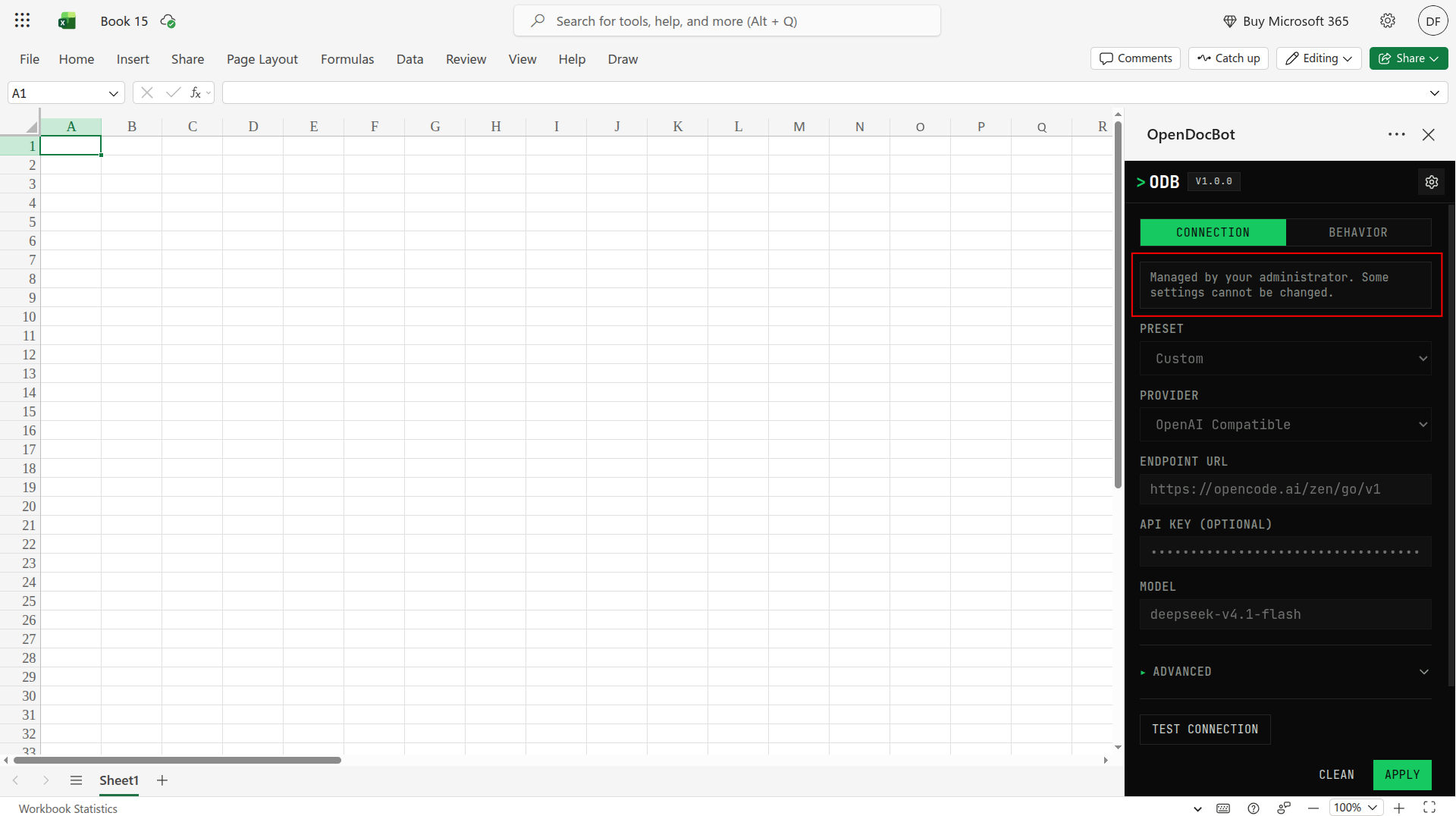
- Every setting you include is fixed and shown to users as read-only (except for API keys, which are visually hidden).
- Any setting you leave out stays editable by default, so users can still change it.
- The add-in loads your settings automatically when it starts.
Configure
Set the settings you want to force as a JSON object in the OPENDOCBOT_MANAGED_CONFIG environment variable in your server .env file:
dotenv
OPENDOCBOT_MANAGED_CONFIG={"apiKey":"sk-...","baseUrl":"https://api.openai.com/v1","model":"gpt-5.6-luna"}Prefer to keep them in a file? Put the same JSON in a file and point OPENDOCBOT_MANAGED_CONFIG_FILE at it instead.
Restart the server. Users now get these settings and cannot change the ones you set. If the JSON has a typo, the server refuses to start, so you find out immediately.
What users see
- A "Managed by your administrator" note in Settings, with the forced fields greyed out.
- The export/import option hidden, since those settings are not theirs to share.
Managed configuration requires SSO
Because the configuration can contain an API key, the server requires SSO whenever a managed config is set. If you set a managed config without SSO, startup fails.
If you are intentionally serving a config with no secrets, you can allow it without SSO by setting OPENDOCBOT_MANAGED_REQUIRE_SSO=false.
If the configuration cannot be loaded
The add-in keeps working with the last managed configuration it loaded. If a refresh fails, those settings stay in place, the refresh button shows an error, and the app does not drop back to local settings.
A refresh button next to the settings icon (visible while Settings is open) reloads the configuration from the server, so users do not have to reload the add-in when you change it.
If the config has never loaded and the server is unreachable, the add-in falls back to normal local settings, so a user can configure a provider manually or import a configuration export. In that case the instance is still known to be managed, so Settings offers both import and a retry through the refresh button.
Security
Managed configuration is a convenience, not a security barrier: users can still change their browser settings. Never put any critical API key in an open, unauthenticated config.